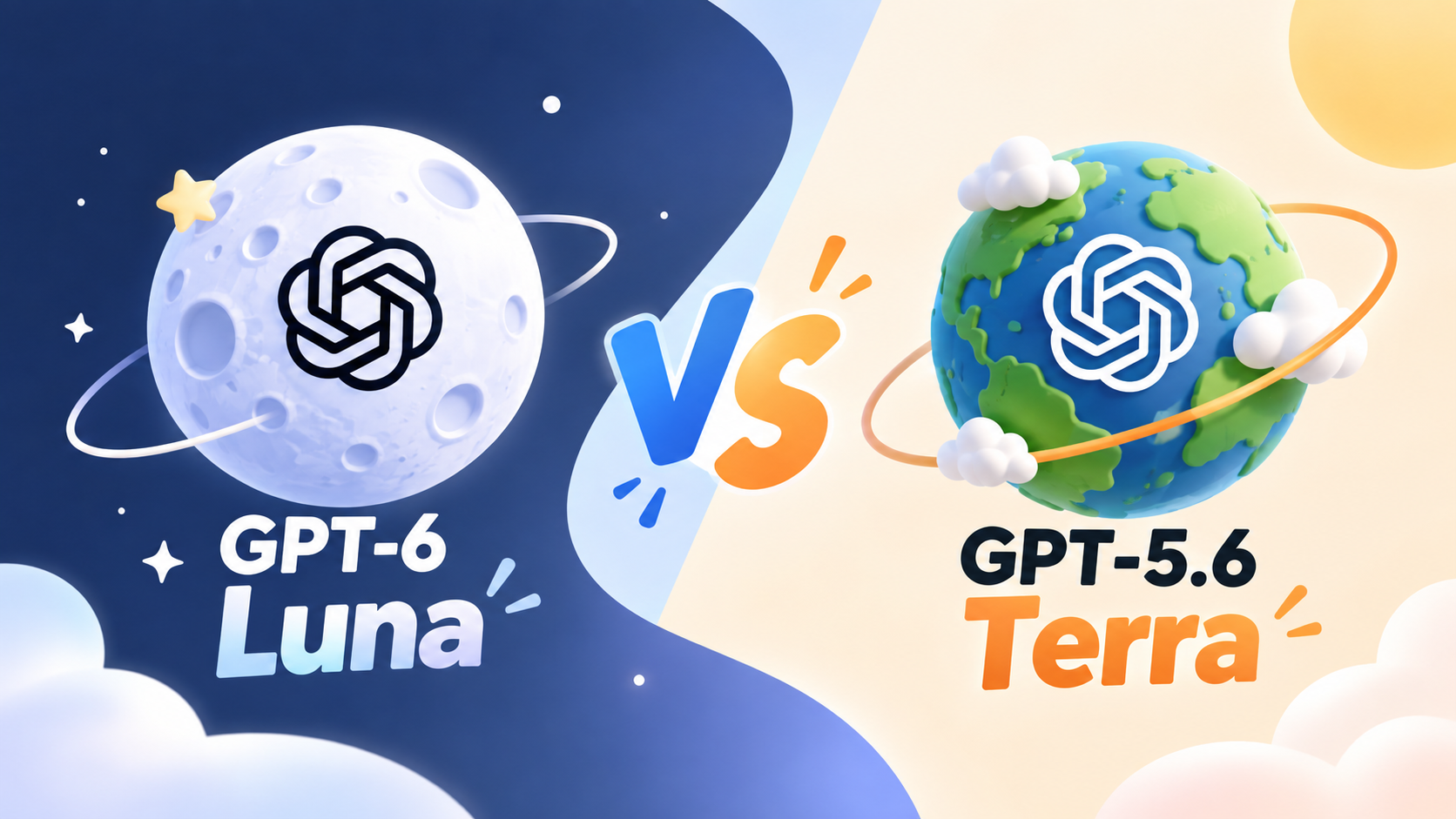
GPT-6 Luna vs GPT-5.6 Terra: Price, Coding, and Which to Use

By Julian Brooks
MyClaw Editorial
Compare in MyClaw
Compare GPT-6 Luna and GPT-5.6 Terra on your own work
Run the same task in both models to compare completion quality, retries, speed, and cost before choosing your default.
AI Takeaway
- Which is the better starting point? For a new, repeatable workflow, start by evaluating GPT-6 Luna. Keep GPT-5.6 Terra where it delivers better results that justify the extra cost.
- How much cheaper is Luna? Standard API rates are $0.10 input and $0.50 output per million tokens, versus Terra's $2 and $12. Actual savings depend on token use, retries, and tools.
- Does Terra offer more context? No. Both list 1.05M total context, 922K maximum input, and 128K maximum output. Equal capacity does not establish equal accuracy.
- Can Luna replace Terra in an agent? Check compatibility first. Luna's Chat Completions function calling requires reasoning to be off; use its supported Responses API path for reasoning with tools.
GPT-6 Luna vs GPT-5.6 Terra at a Glance
GPT-6 Luna's strongest case is its much lower token price for focused work. GPT-5.6 Terra earns a place when its results save enough correction time or failed attempts to justify the premium. That makes this a value decision: how much does each model cost to produce work you can use?
OpenAI describes Luna as an efficient model for focused, high-volume tasks and Terra as a balance of intelligence and cost. The comparison below uses GPT-6 Luna; the older GPT-5.6 Luna is a separate model.
| Factor | GPT-6 Luna | GPT-5.6 Terra |
|---|---|---|
| API model ID | gpt-6-luna | gpt-5.6-terra |
| Official focus | Efficient, focused tasks at volume | Balance of intelligence and cost |
| Input / 1M tokens | $0.10 | $2.00 |
| Cached input / 1M tokens | $0.01 | $0.20 |
| Output / 1M tokens | $0.50 | $12.00 |
| Total context | 1,050,000 tokens | 1,050,000 tokens |
| Maximum input / output | 922,000 / 128,000 tokens | 922,000 / 128,000 tokens |
| Modalities | Text and image input; text output | Text and image input; text output |
| API reasoning effort | none through max | none through max |
Prices are OpenAI's Standard API rates checked September 23, 2026. Above 272,000 input tokens, higher rates apply to the entire request: twice the input and cache rates, and 1.5 times the output rate. Tools can add charges.
The shared limits narrow the decision to task quality, cost, and compatibility. A larger generation number alone cannot settle those questions.

GPT-6 Luna vs GPT-5.6 Terra Pricing
A $2 vs $44 Token-Cost Example
Suppose you process 1,000 requests, each using 10,000 uncached input tokens and 2,000 billable output tokens, including reasoning. That totals 10 million input tokens and 2 million output tokens.
- GPT-6 Luna: $1 for input plus $1 for output = $2.
- GPT-5.6 Terra: $20 for input plus $24 for output = $44.
Luna costs about 95.5% less in this example. The calculation assumes identical token counts and excludes retries, tools, caching, hosting, and discounts. It illustrates the rate difference; actual runs may use different amounts of reasoning and output.
Luna's input rate is one-twentieth of Terra's; its output rate is one-twenty-fourth. The overall ratio changes with the workload's input and output mix.
Include Retries, Tools, and Hosting
Compare the full batch using a simple measure:
Cost per accepted result = total model and tool charges across all attempts ÷ results that pass your checks.
Keep human review minutes beside that figure. If you assign a monetary cost to review, add it to the numerator. Use the same acceptance standard for both models.
Include billable reasoning tokens and tool calls. Cache hits reduce input costs, but explicit cache writes have their own rate: 1.25 times uncached input. Growing conversation history can also push a request into the long-context pricing tier.
OpenAI API dollars, Work/Codex credits, and hosting are separate billing categories. When budgeting for a hosted agent, check MyClaw hosting plans for the workspace cost and included allowances, then account for model usage under your provider's terms.
The price gap also changes how you interpret retries. Assuming the same tokens per attempt, one extra Luna attempt on every request would raise its bill to $4, still below Terra's $44. Luna can remain cheaper even with retries, provided the finished work meets your quality and turnaround requirements.
GPT-6 Luna vs Terra for Coding and Agent Tasks
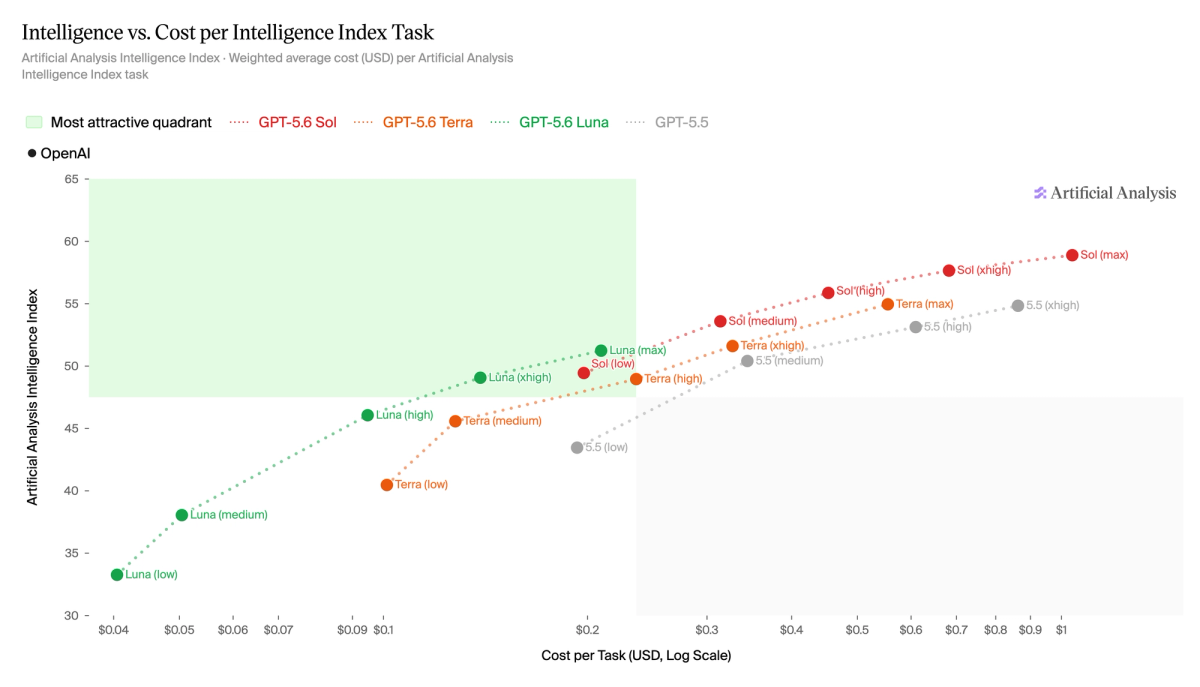
Test Luna on Work You Can Check
Start with Luna for tasks with a clear finish line: extracting invoice fields into a fixed schema, assigning support categories, summarizing an update, or changing a function covered by tests. These uses fit its documented focus on narrow, repeatable work.
An email automation workflow makes the distinction concrete. Test routine classification against messages you have already labeled. Include ambiguous cases, then inspect the errors before using the model on incoming mail.
For document summarization, define required facts and check whether each summary preserves them. Fluent writing alone is a weak acceptance test: a polished paragraph can still omit the deadline that mattered.
Review factual errors separately from formatting errors. A schema can reject a missing field while accepting a plausible but incorrect invoice amount. If the source never supplied the amount, improve the input or require an explicit “unknown” response before evaluating another model.
Keep Terra Where It Already Earns Its Cost
Terra is worth keeping when your own runs show that it handles the difficult parts more reliably. Look for concrete differences: fewer missed requirements, correct tool arguments, or less repair after a failed test. Its higher price needs a measurable benefit.
For a repository bug, require both models to reproduce the failure, make a relevant change, and pass the existing checks. In coding-agent workflows, the useful result is a working patch that respects the request. Review unintended changes as well as test results.
For an established Terra workflow, use its past results as the baseline. For a new workflow involving several dependent steps, evaluate both on the hardest representative cases. Measure elapsed time through completion, including tools and retries; token prices do not tell you which run finishes sooner.
The official sources reviewed for this comparison do not establish a controlled head-to-head winner. Before using a benchmark to choose, check whether both models ran the same task with comparable tools and reasoning settings. A composite ranking cannot tell you how often either model will fix your particular repository bug.
Check Context, Tool Support, and Access Before Switching
Both models list 1.05 million tokens of total context, but maximum input is 922,000 tokens. Do not treat the larger figure as an input allowance or a guarantee that either model will retrieve every detail correctly. Test long documents with questions whose answers you already know.
Tool compatibility can matter more than context. GPT-6 Luna's documentation says Chat Completions supports function calling only with reasoning_effort set to none. For built-in tools and function calling with reasoning, use the supported Responses API path. A Terra integration therefore needs a compatibility check before you change only the model name.
Both models support multiple reasoning levels, with medium listed as the API default. Record the chosen setting: identical labels need not produce identical token use. Confirm that your application supports the required endpoint and tools as well as the exact model ID.
If both struggle with your most demanding tasks, the GPT-6 Sol vs Luna comparison covers another model worth evaluating. You can still use Luna for routine parts of the workflow that already pass their checks.
Evaluate Your OpenClaw Workflow with MyClaw
Once a task is worth repeating, the next requirement is a reliable place to run it. MyClaw OpenClaw hosting provides a private, dedicated, managed runtime with files and tools for always-on agents. Use it to put a validated workflow into practice, checking model availability in your workspace first.
Step 1 — Prepare One Repeatable Job
Choose a small, representative batch: resolved support requests, documents with checked summaries, or repository issues with clear tests. Save the original inputs and specify what a complete result must contain. Include a few difficult cases so the trial reflects more than the easiest work.
Set the minimum acceptable pass rate and maximum review time before seeing the outputs. Keep those targets fixed throughout the comparison.
Step 2 — Check Access and Compare the Runs
Verify that your workspace and provider expose gpt-6-luna and gpt-5.6-terra. Where both are available, use the same inputs, tools, permissions, and acceptance checks. Reset changed files between coding runs. Log configuration, token charges, elapsed time, retries, and review effort. If an ID is unavailable, record that limit rather than silently substituting another model.
Step 3 — Choose by Cost per Accepted Result
Select the model that meets your quality and turnaround targets at the lowest cost per accepted result. Start recurring runs with the task types that passed; review exceptions before expanding the scope. Keep a record of failures so changes in inputs or tool behavior trigger a fresh comparison.
Compare in MyClaw
Compare GPT-6 Luna and GPT-5.6 Terra on your own work
Run the same task in both models to compare completion quality, retries, speed, and cost before choosing your default.