Headshot Poses: Professional Angles, Chin Tips & LinkedIn Looks

By Alex Morgan
MyClaw Editorial
Free Headshot Generator
Create a Professional Headshot
Generate a professional profile photo from a selfie—online and free to try.
Generate a HeadshotAI Takeaway
- What is the most flattering headshot pose? Angle your body about 15–45° off the camera, bring your face back to the lens, push your chin slightly forward and down, drop your shoulders, and look into the actual lens.
- Should you smile in a professional headshot? Use a warm, genuine smile for LinkedIn and client-facing roles; use a calmer, closed-mouth look for legal, finance, or executive portraits — and capture both if you can.
- How should women pose for a headshot without looking coy? Use the same chin-and-angle fundamentals, then add a slightly dropped near shoulder and only a small head tilt; keep hair out of the eyes.
- Do posing rules still matter if you use AI? Yes. A one-selfie generator copies your angle, expression, and tension, so a stiff source still produces a stiff portrait.
- How do you try this on MyClaw without paying first? A guest can try one AI request without a credit card (shared across text and image on Image Generator); after that, AI Chat plans include image generation under the fair-use allowance shown in your account.
The Default Headshot Pose
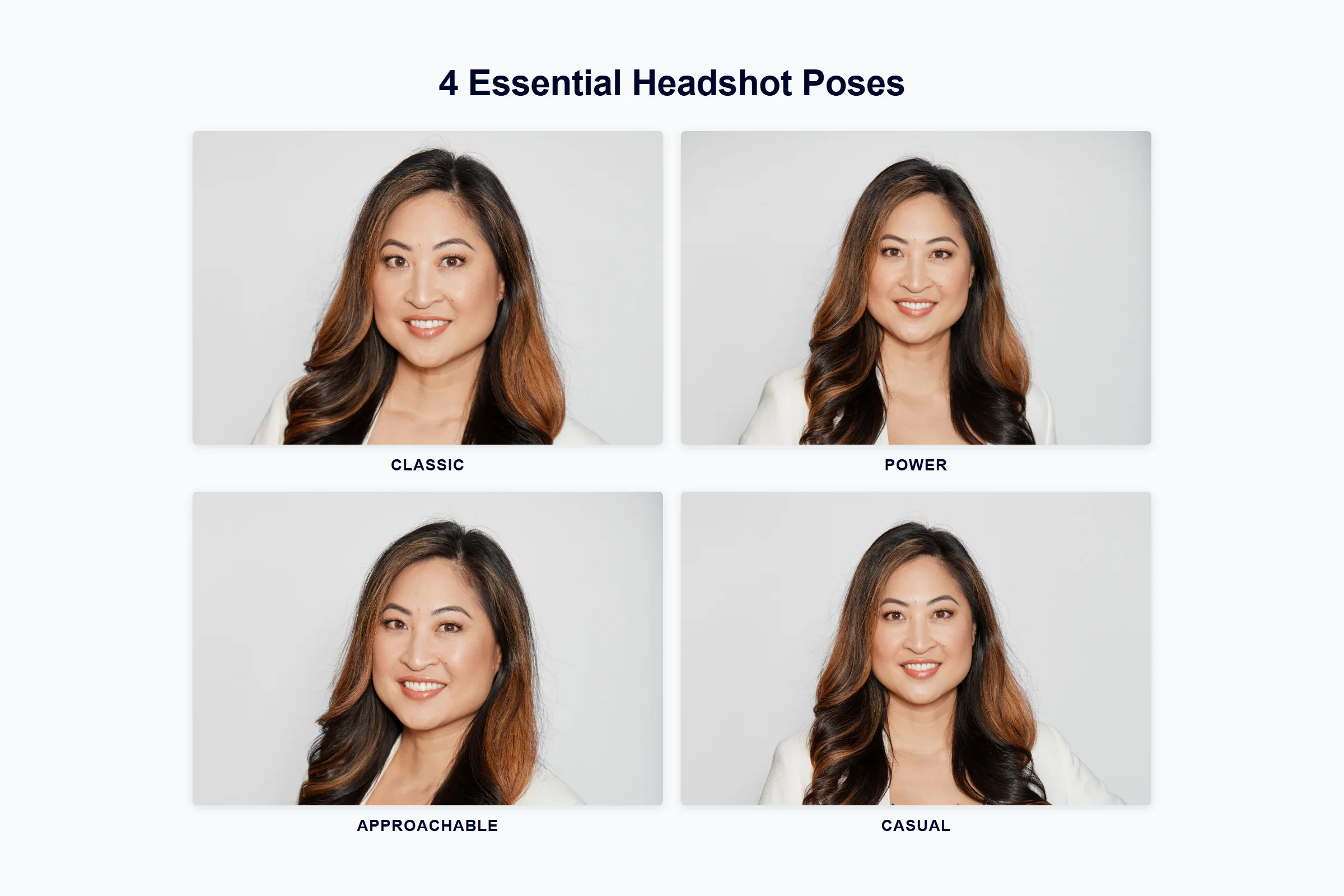
Most flattering headshot poses share the same skeleton. Turn your body about 15–45 degrees away from the camera, then bring your face back to the lens so the frame reads as a three-quarter view — not a passport square. That small body angle slims the shoulder line and keeps the pose from looking like a mugshot. If 45 degrees feels dramatic, start closer to 15–30 and only open the stance when the crop still shows both eyes cleanly.
Push your chin slightly forward, then tip it a touch down. Photographers call this the “turtle”: it defines the jaw and shortens a double-chin look without pointing your nose at the ceiling. Chin-up is the classic mistake; it opens nostrils and flattens the eyes. Exhale once before the shutter so the neck softens.

Drop your shoulders. Put most of your weight on the back foot and add a tiny lean toward the camera so you look engaged instead of planted. Keep your eyes on the real lens, not the phone screen. A soft squinch — a slight narrowing of the eyes — reads more confident than a wide, startled stare. Blink between frames so you are not holding a dry-eye look.
In a true head-and-shoulders crop, leave the hands out unless you are intentionally framing a wider three-quarter portrait. Loose fingers at a jacket lapel or lightly resting near the collarbone can work in a wider shot; clenched fists and crossed arms usually fight the face. Before you leave the stand, roll the shoulders once and reset — most stiff frames are just forgotten tension in the neck.
Expression by Job
Pose sets the geometry. Expression sells the role.
For LinkedIn and client-facing work, a warm half-smile usually wins. It should look like you just said hello, not like you are holding a flash for three seconds. Think of greeting a colleague across a lobby — teeth optional, eyes involved. For legal, finance, or executive portraits, a calmer closed-mouth look often fits better: composed, not cold — authority without a scowl. Creative fields can carry a bit more personality as long as the face stays clear in a small avatar.
If you have time, shoot both. One soft smile and one calm take give you options when the same face has to work on a company site, a speaker page, and a LinkedIn circle. Match wardrobe energy to the expression: a loud patterned jacket with a severe legal stare can feel mismatched even when the angle is perfect.
Mistakes That Look Like an ID Photo
Square-on posture, lifted chin, hunched shoulders, a held grin, and eyes locked on your own preview screen will push any shoot toward ID-photo energy. Professional headshot poses do the opposite of passport rules: they allow angle, a small tilt, and a human expression.
Other quick traps: locking your elbows against your ribs (it lifts the shoulders), sucking in the cheeks (it ages the mouth), and “fixing” a stiff neck by only turning the head while the body stays square. Fix the feet and ribs first; the face follows.
If you need a compliant ID frame instead, follow the passport photo guide — square crop, no tilt, neutral face. Do not mix those constraints into a LinkedIn or corporate headshot brief.
Headshot Poses for Women (Same Fundamentals, Extra Cues)
The five fundamentals do not change by gender. The “female” query usually wants a few extras on top of that base.
Drop the near shoulder a little more than you might in a squared stance, and let the body take a slightly stronger angle before the face returns to camera. A small head tilt toward the lower shoulder can soften the line; a big tilt reads coy and undercuts executive presence. Keep hair out of the eyes and decide whether it sits in front of one shoulder or behind — both work, but messy face-framing strands distract in a small crop. In a wider shot, a light hand near the collarbone or jacket edge can finish the frame; keep the hand soft so it does not steal focus from the eyes.
Skip glamour-only softness when the job needs competence. The goal is still a clear, confident professional portrait — not a different set of physics. Compare bone structure and shoulder width when you study reference portraits, not a gendered template checklist. Generator shopping is a different job from posing — use the best AI LinkedIn profile picture generator guide when that is the next question.
Posing the Selfie You Will Actually Upload
Studio coaches assume a photographer in the room. Many AI tools ask for a pile of references. If your path is one clear selfie, the pose still matters — the model will copy your angle, chin, and tension.
Stand or sit with the default pose, face a window or even light, and keep the full face visible. Skip heavy filters and beauty modes that melt jawlines. Shoot a few frames: smile, calm, and one with a slightly stronger body angle. Then pinch-zoom a circular crop on your phone and check that the eyes sit cleanly in the circle. Raise the phone slightly above eye level if a low angle is making the chin heavy, but do not climb so high that you look down into the lens.
Weak light and a stiff source are hard to fix later; GPT Image 2 notes on reference quality apply here too — weak selfie in, almost-you out. If the first frame feels frozen, shake out your hands, look away, look back to the lens, and shoot on an exhale.
Turn One Well-Posed Selfie into a LinkedIn Headshot
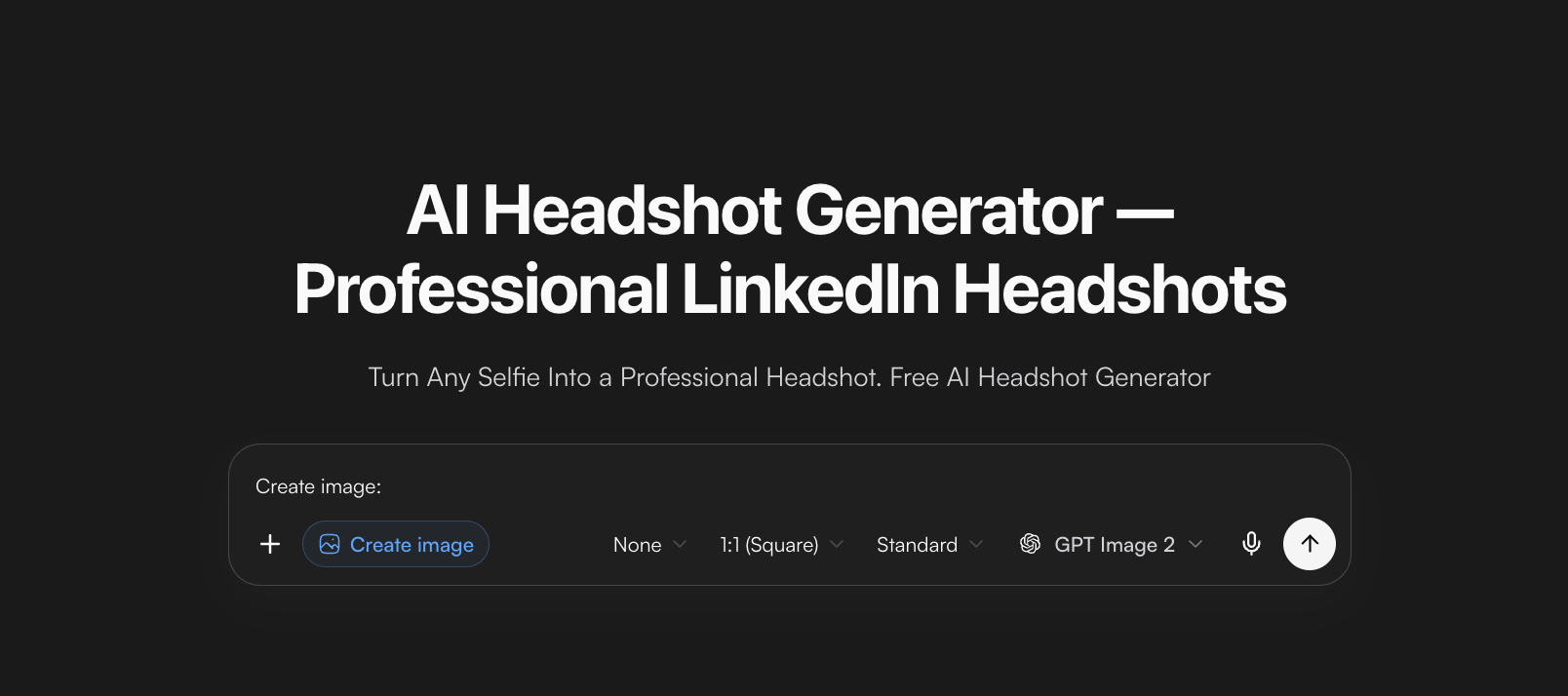
Once the source pose is solid, you can polish wardrobe, lighting, and background without starting from a blank face. MyClaw’s AI LinkedIn headshot tool is built for one selfie into a head-and-shoulders portrait for LinkedIn, resumes, and directories. Pick classic executive, modern business, or creative-industry styling, then edit the prompt if wardrobe or backdrop still feels off.
How to use MyClaw for a posed headshot
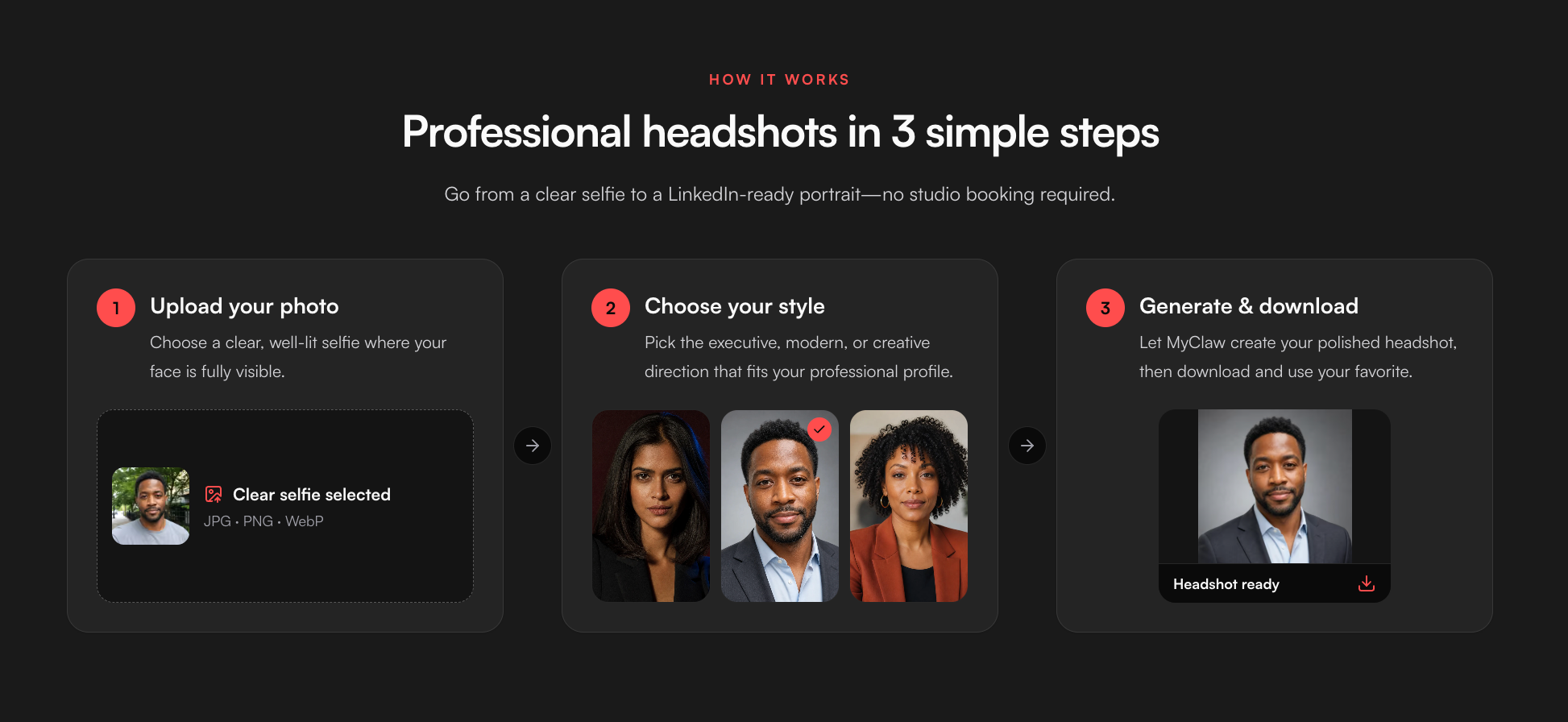
- Pose and shoot one sharp selfie: slight body angle, chin forward and down, relaxed shoulders, natural expression, full face, even light, no heavy filter.
- Open the LinkedIn headshot tool, choose a style, and generate.
- Tweak the prompt for wardrobe, background, or lighting if needed; download and check the face in a small circular crop before you upload to LinkedIn.
A guest can try one AI request without a credit card (shared across supported text and image). After that, continue under an AI Chat plan and check live limits instead of assuming unlimited covers. Keep the same posed selfie for your first A/B of styles so you are judging wardrobe and lighting, not a new angle each time. Change only one variable per round so the winner is obvious.
Conclusion
Photographer, phone selfie, or AI polish — the headshot poses that work are the same: angled body, face to lens, chin forward and down, soft shoulders, eyes on the glass, and an expression that matches the job. Get the source right once, then choose the path that fits your timeline and budget. When you need more generations after a guest try, check live AI Chat pricing.
Generate a Professional Headshot with MyClaw
Create a studio-quality professional headshot from a casual photo. Free to try.
Generate a Headshot