Whisper Flow Review: Wispr Flow Pricing & Features (2026)

By Alex Morgan
MyClaw Editorial
MyClaw
Run Best-in-Class AI Agents Now
Run OpenClaw or Hermes Agent on managed MyClaw hosting, so your AI agent stays online, updated, and ready for real work.
AI Takeaway
- Which app is reviewed here? Wispr Flow, the AI dictation app from Wispr. Whisper Flow by Butterfly AI LLC is a separate product.
- Who is it for? Frequent writers who want to dictate emails, messages, and AI prompts directly into the apps they use.
- What does Pro cost? US card pricing is $15 per user monthly or $144 billed annually. Free has a weekly allowance that can vary by account and platform.
- Does it work offline? No. Transcription happens in the cloud, even with model training and dictation cloud storage disabled.
- Is Pro worth it? Consider it if you regularly hit Free's limits or need paid features such as desktop voice editing. Judge the time saved after proofreading.
What Is Wispr Flow, and How Does It Work?
Wispr Flow turns speech into formatted text in the app you are using. Activate dictation, speak naturally, and the result appears where you would otherwise type. It is designed to handle the pauses, repetitions, and mid-sentence corrections that make spoken thoughts awkward on the page.
Dictation is available on Mac, Windows, iPhone, and Android, although individual features differ by device. The strongest reason to try it is frequent writing across several apps: email replies, project notes, messages, and detailed prompts.
For occasional short replies, the dictation built into your device may be enough. Flow has to save enough effort to justify adding another subscription.
This review is based on product documentation checked on November 8, 2026, rather than hands-on accuracy or speed measurements.
Wispr Flow AI Features for Everyday Writing
Cleaner Messages, Drafts, and AI Prompts
Automatic cleanup removes filler words, adds punctuation, and formats the text. That can make a rambling first attempt easier to work with, particularly when you know what you want to say but would rather explain it aloud.
Personalization addresses the details you repeat. A dictionary helps with names and jargon, while snippets expand frequently used text. App-specific styles let a work email sound more formal than a chat message. Wispr also lists support for more than 100 languages; test the languages and accents you actually use before relying on it.
Longer AI prompts are a useful test case. For example: “Compare these three suppliers using their current product pages. Exclude sponsored rankings, list delivery restrictions, and return a table with sources.” That gives a research agent a question, source requirements, and an output format in one brief. Flow helps you write the request; the agent handles the research.
Command Mode adds spoken instructions for editing and other supported actions on desktop, with subscription requirements. Its help documentation says in-place text editing on iOS is not currently working. If voice editing is your main reason to pay, confirm that it works on your device first.
Meeting Notes Have Their Own Limits
Wispr Notetaker runs on Mac and Windows and produces meeting transcripts, summaries, and next steps. It serves a different need from dictating into a text field.
Compare meeting allowances and note retention alongside the dictation limit. The team plans, in particular, have different Notetaker options, so “unlimited dictation” tells you only part of what you are buying.
Wispr Flow Pricing: Free, Pro, and Team Plans
These are the published US card prices as of November 8, 2026:
| Option | Price | Best fit |
|---|---|---|
| Free | $0 | Occasional use and testing your own writing |
| Pro, monthly | $15 per user/month | Frequent dictation without an annual commitment |
| Pro, annual | $144 per user/year, equivalent to $12/month | Established daily use at a lower annual cost |
Annual Pro saves $36 compared with twelve monthly payments, but the $144 is billed for the year. Try Free first. If you need more time with paid features, monthly billing avoids committing to a full year before you know their value.
The free allowance needs a closer look. Wispr's plan guide lists a 2,000-word desktop allowance and a 5,000-word maximum. Its dedicated limit article says allowances can vary by account and platform and change without an app update. Dictation may slow down before it is blocked, so use the limit displayed in your account to judge whether Free is enough.
For teams, Growth dictation-only costs $23 per user monthly or $216 annually. Growth with Notetaker costs $33 monthly or $312 annually. Enterprise pricing is custom. Pro supports individuals and teams; Growth adds administration and organization-wide controls.
Regional prices, app-store billing, and existing subscriptions can differ from these US rates. Confirm the billing interval and meeting access at checkout.

Privacy and Practical Limits to Consider
Flow sends audio to the cloud for transcription. Disabling storage or model improvement does not make it an offline tool. If keeping audio on your device is a firm requirement, it will not meet that need.
Its privacy settings cover several different things:
- Model improvement: Whether Wispr may use your audio, transcripts, and edits to improve its models.
- Dictation cloud storage: Whether dictation audio, transcripts, and history remain on Wispr's servers.
- Context awareness: Whether relevant text from the active app can help improve transcription.
- Local history: Dictation history kept on your computer, separate from mobile and Notetaker storage.
Review each setting before dictating sensitive material. Turning one off does not necessarily change the others.
Everyday usability also depends on your connection, microphone, and surroundings. Speaking freely at home is different from composing a confidential reply in a shared office. Try your usual setup, including any headset you depend on.
Finally, read the output for meaning. Names, amounts, deadlines, and words such as “not” deserve particular attention. Smooth grammar can hide a wrong number or a changed commitment.
How to Tell Whether Pro Is Worth It
Compare typing and dictation on three ordinary tasks:
- An email reply: Time both methods through to a draft you would send, including proofreading.
- A detailed prompt: Use your usual names, abbreviations, numbers, and constraints. Count the edits needed to preserve them.
- Mobile capture: Try the device and environment where you need it most, including interruptions and background noise.
Repeat the comparison over several days. Note how often you reach the free allowance, whether cleanup changes your meaning, and how comfortable you feel speaking aloud. Longer dictated drafts can also mean more editing, so count that time.
Consider what happens after the words appear. If your goal is a reminder or a recurring brief, a personal assistant needs to schedule and deliver it. That is a separate buying decision from making text entry faster.
Use MyClaw to Act on Your Dictated Requests
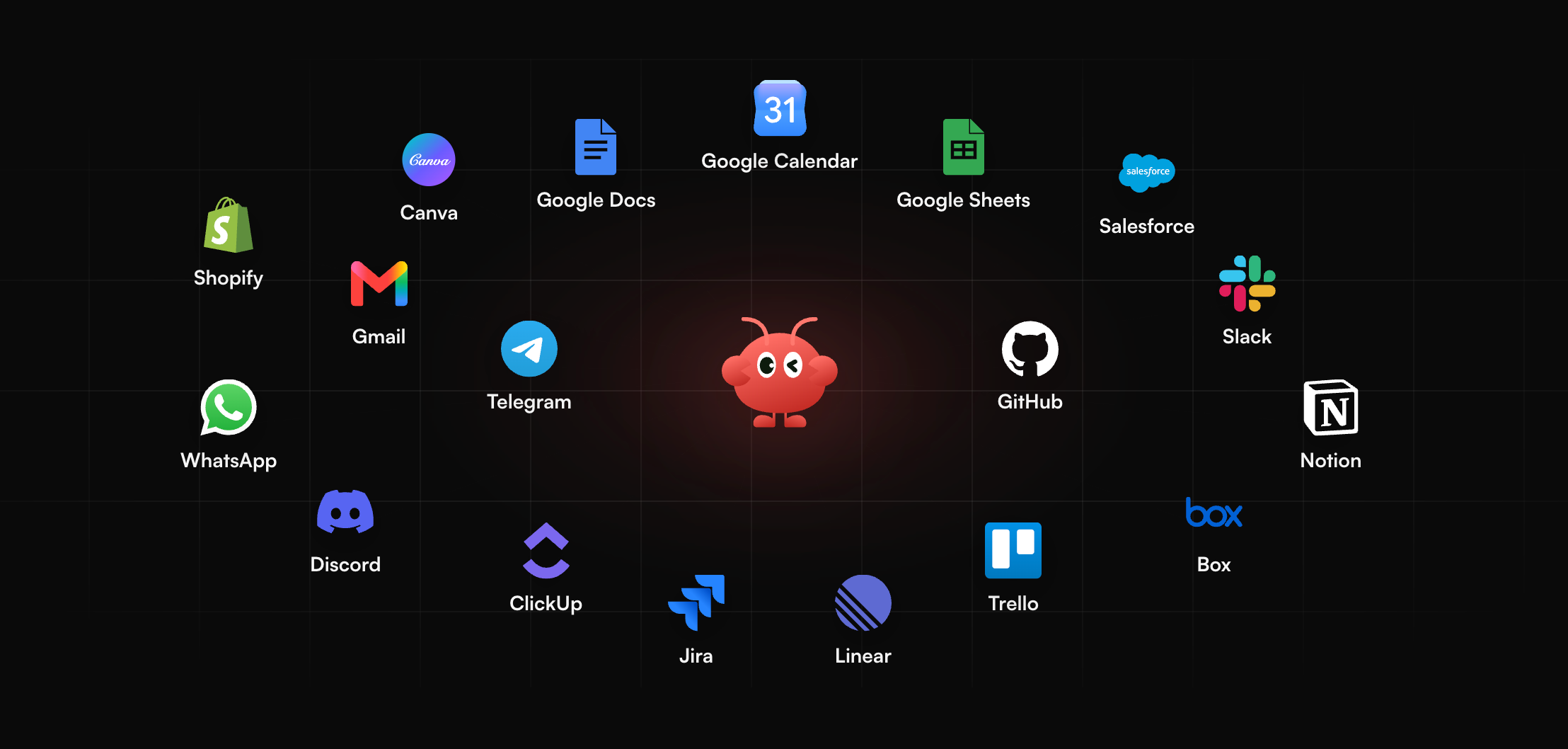
MyClaw offers managed hosting for private, always-on OpenClaw agents that can use connected tools and run scheduled tasks. It becomes relevant when you want a dictated request to lead to a draft, a report, or a follow-up.
Start with something specific, such as preparing an email reply and reminding you to revisit the thread on Friday.
1. Start an OpenClaw Agent on MyClaw
Choose managed OpenClaw hosting for your workload. MyClaw handles runtime maintenance, and the hosted agent stays available when your laptop is offline. Connect the mailbox or other tools needed for your first task.
2. Send a Clear Request
Proofread your dictated text, then paste it into MyClaw's browser interface or send it through a configured channel. Identify the source thread, explain what the reply should accomplish, and specify the deadline. This is a manual text handoff between the two products.
3. Review the Draft and Schedule the Follow-Up
Ask for a reply draft and a reminder, with your approval required before sending. An email follow-up workflow can keep the thread, draft, and subsequent checks together. Review the proposed reply and confirm the reminder's date, time, and destination.
Final Verdict: Should You Pay for Wispr Flow?
Pro makes the most sense when you write frequently, are comfortable with cloud transcription, and save time even after editing. Stay on Free if its allowance covers your needs or typing remains easier for most tasks.
If you also need an agent to carry out requests, compare MyClaw plans separately. Hosting excludes AI token usage, so include both costs in your budget. Test one recurring task from the first spoken sentence to the finished result before committing annually.
Skip the Setup, Run Best-in-Class AI Agents Now
Launch a managed OpenClaw or Hermes Agent workspace in minutes, with always-on hosting, updates, and support handled by MyClaw.